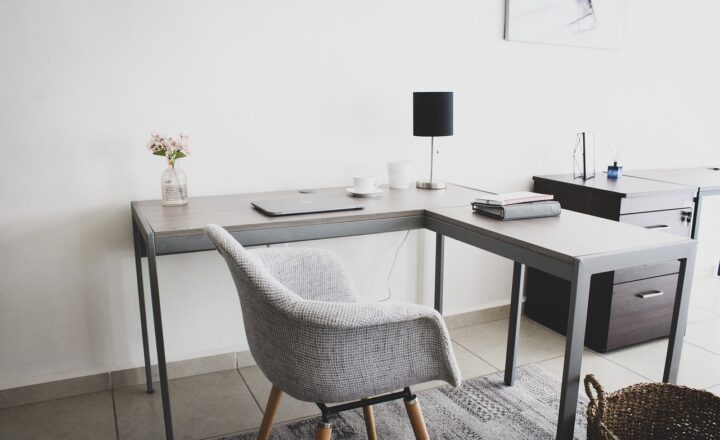
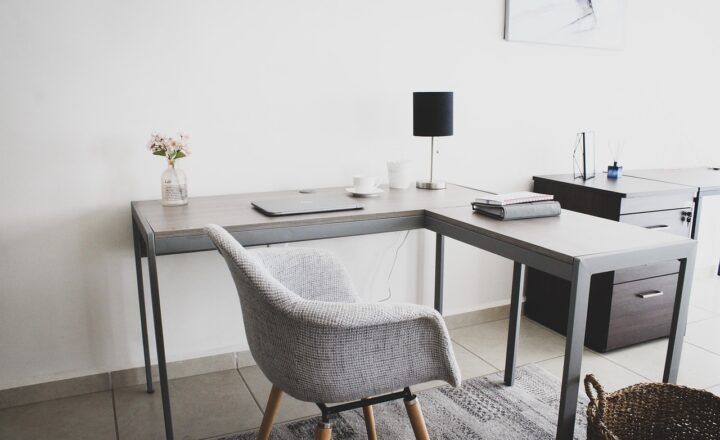
Home Office Essentials: How to Create a Productive Workspace

Evan Morgan
October 26, 2024

Working from home has become the norm for many, and having a well-organized, efficient workspace is essential for productivity. A carefully planned home office can enhance focus, reduce distractions, and create a comfortable environment for long hours of work. In this guide, we’ll go through the must-have essentials for building a productive home office that supports both productivity and well-being.
1. Choosing the Right Location
The first step in creating a productive home office is selecting the right location. Ideally, your workspace should be quiet, away from household distractions, and offer enough privacy to concentrate on tasks.
- Find a Dedicated Space: Choose a specific area, even if it’s a small corner, solely for work. This helps to create a clear separation between work and personal life.
- Consider Natural Light: Studies show that natural light improves mood and productivity. Try to position your desk near a window for optimal lighting.
2. Invest in a Quality Desk and Chair
A sturdy desk and ergonomic chair are the foundation of any productive workspace. A comfortable setup can prevent strain, fatigue, and long-term health issues.
- Ergonomic Chair: Choose a chair that provides lumbar support and can be adjusted to suit your height and posture.
- Spacious Desk: Your desk should have enough space for your essentials without feeling cluttered. Standing desks are also a popular option for reducing sedentary time.
3. Organize Your Essentials and Minimize Clutter
A cluttered workspace can lead to distraction and hinder productivity. Organize your office essentials to keep your workspace clean and efficient.
- Use Drawer Organizers: Store small items, like pens and paper clips, in organizers to keep your desk tidy.
- Limit Decor: Personal touches are great, but too many items can create distractions. Aim for minimal decor that inspires rather than distracts.
4. Invest in Technology and Accessories
The right technology can streamline your work process and improve productivity. From fast internet to necessary accessories, ensure your tech setup is ready to support your tasks.
- Reliable Internet Connection: High-speed internet is essential for remote work. Ensure you have a stable connection to avoid interruptions.
- Dual Monitors: Using two monitors can increase efficiency, especially for multitasking or comparing documents.
- Quality Keyboard and Mouse: A comfortable, ergonomic keyboard and mouse can reduce strain on your hands and wrists.
5. Lighting for Focus and Comfort
Good lighting is crucial for preventing eye strain and creating a comfortable working environment. Consider a combination of natural and artificial light.
- Adjustable Desk Lamp: A desk lamp with adjustable brightness can help you customize lighting based on your needs.
- Avoid Screen Glare: Position your monitor to avoid glare from windows or overhead lights, reducing eye strain.
6. Personalize Your Space
Adding a few personal touches can make your workspace feel inviting and motivating. However, keep personalization minimal to avoid clutter.
- Incorporate Plants: Indoor plants can improve air quality and add a touch of nature, which can boost mood and productivity.
- Add Inspirational Items: A small piece of artwork or a motivational quote can inspire and keep you focused on your goals.
7. Set Up Storage Solutions
Storage solutions help keep your workspace organized and free of clutter, making it easier to find what you need quickly.
- Filing Cabinets: Use filing cabinets for documents and paperwork that you need to store but not necessarily keep on your desk.
- Shelves and Bins: Use shelves for books, binders, and decorative items, while bins can store office supplies discreetly.
8. Maintain a Daily Clean-Up Routine
To keep your workspace efficient and inspiring, incorporate a quick daily clean-up routine at the end of each day.
- Clear Your Desk: Put away any items that don’t belong on your desk, so you can start each day with a clean slate.
- Organize Paperwork: File or recycle paperwork at the end of the day to avoid a buildup of clutter.
9. Incorporate Ergonomics for Health
Ergonomics play a vital role in creating a comfortable and sustainable workspace. Proper ergonomics prevent strain and make long work hours more manageable.
- Position Your Monitor at Eye Level: Align your monitor with your line of sight to prevent neck strain.
- Take Breaks and Stretch: Schedule short breaks for stretching to relieve tension and improve circulation.
Conclusion: Creating a Space That Works for You
Designing a productive home office involves more than just selecting furniture. It’s about creating an environment that supports your focus, health, and well-being. By incorporating these home office essentials, you can establish a workspace that enhances productivity and comfort, helping you succeed while working from home.